.webp)
A customer enters their mobile number, waits, and receives a message that is nothing but six digits. They cannot tell which app it belongs to, how long it will work, or whether it is safe to use. Some request three more codes. Others abandon the signup or call your support team. A clear, purpose-specific OTP message can reduce confusion and help users identify the request.
Below you will find 35 customizable OTP message samples for login, registration, password reset, payments, e-commerce, healthcare, education and app verification. You will also get formatting rules, security practices and DLT guidance for Indian businesses.
What Is an OTP Message?
An OTP message is an SMS carrying a one-time password: a short code, often six digits, that proves the user can access a registered mobile number. The code works once and expires quickly.
Businesses send these messages to verify logins, confirm new accounts, reset passwords and approve sensitive actions. Unlike promotional SMS, an OTP is triggered by something the user has just done, so it carries no offer or marketing call to action. If you want the technical background first, our guide to the OTP SMS service for businesses explains the delivery flow.
What Should a Good OTP SMS Template Include?
A good OTP verification message answers four questions quickly: who is asking, what is the code, what is it for, and how long will it work. Include these elements:
- Recognizable business name, ideally matching your registered header. Our guide to SMS sender ID registration explains how headers work.
- The verification code, placed early so it appears in the notification preview.
- A clear purpose, such as login or password reset, so users do not enter a code for the wrong action.
- Expiry time, when your system enforces one.
- A short security warning, such as not to share the code.
- Concise wording, without offers or links.
- Compatibility with a registered content template, so the live message matches what was approved.
Illustrative example:
{OTP} is your {BrandName} login code. Valid for {ValidityMinutes} minutes. Do not share it with anyone.
The code and expiry are placeholders. They must come from your authentication system, and the validity stated in the message must match what your server actually enforces.
35 OTP Message Samples for Businesses in India
Important: These are illustrative templates, not approved ones. Adapt each to your authentication flow and get it approved on the DLT platform where required before production use. Brand references are placeholders; none refers to a real company, and no bank or operator has approved any of them.
Login OTP Message Samples
Template 1 | Standard login
{OTP} is your {BrandName} login code. It is valid for {ValidityMinutes} minutes. Never share it, even with our staff.
Template 2 | New-device login
{OTP} is your code to sign in to {BrandName} from a new device. Valid for {ValidityMinutes} minutes. Not you? Change your password.
Template 3 | Returning customer login
Welcome back to {BrandName}. Use {OTP} to continue. This code expires in {ValidityMinutes} minutes. Do not share it.
Template 4 | Business dashboard login
{OTP} is your {BrandName} dashboard sign-in code. Expires in {ValidityMinutes} minutes. Our team will never ask for it.
Template 5 | Secure portal login
Use {OTP} to access the {BrandName} secure portal. This one-time code expires in {ValidityMinutes} minutes. Keep it private.
Account Registration OTP Samples
Template 6 | New account creation
{OTP} is your code to create a {BrandName} account. Enter it within {ValidityMinutes} minutes. Do not share it with anyone.
Template 7 | Mobile number verification
Verify your mobile number for {BrandName} using {OTP}. Valid for {ValidityMinutes} minutes. Ignore this message if you did not request it.
Template 8 | Customer onboarding
Thank you for choosing {BrandName}. Enter {OTP} to complete your onboarding. The code is valid for {ValidityMinutes} minutes.
Template 9 | App registration
{OTP} is your {BrandName} app registration code. Enter it in the app within {ValidityMinutes} minutes to finish signing up.
Template 10 | Business account verification
Use {OTP} to verify your business account with {BrandName}. Valid for {ValidityMinutes} minutes. Enter it only on our official site or app.
Password Reset OTP Message Samples
Template 11 | Forgotten password
{OTP} is your {BrandName} password reset code. Valid for {ValidityMinutes} minutes. If you did not request a reset, ignore this message.
Template 12 | Account recovery
Use {OTP} to recover your {BrandName} account. This code expires in {ValidityMinutes} minutes. We will never ask you to share it.
Template 13 | Password change confirmation
Confirm your {BrandName} password change with {OTP}. Valid for {ValidityMinutes} minutes. Did not make this change? Contact support now.
Template 14 | Security reset
A security reset was requested for your {BrandName} account. Enter {OTP} within {ValidityMinutes} minutes to proceed. Not you? Do not share this code.
Template 15 | Administrator account recovery
{OTP} is the recovery code for your {BrandName} administrator account. Valid for {ValidityMinutes} minutes. Do not share it with colleagues or support staff.
Banking and Payment OTP Samples
Template 16 | Payment authorization
{OTP} authorises your payment of Rs.{Amount} to {MerchantName} on {BrandName}. Valid for {ValidityMinutes} minutes. Do not share it.
Template 17 | Banking login
Use {OTP} to log in to {BrandName} online banking. Valid for {ValidityMinutes} minutes. {BrandName} will never call to ask for this code.
Template 18 | Transaction verification
{OTP} verifies your transfer of Rs.{Amount} with {BrandName}. Valid for {ValidityMinutes} minutes. If you did not start it, do not share this code.
Template 19 | Beneficiary addition
Use {OTP} to add a new beneficiary to your {BrandName} account. Valid for {ValidityMinutes} minutes. Did not request this? Do not share the code.
Template 20 | Financial account security
{OTP} confirms a change to your {BrandName} account security settings. Valid for {ValidityMinutes} minutes. Never share this code.
E-commerce OTP Message Samples
Template 21 | Customer verification
{OTP} is your {BrandName} verification code. Enter it to confirm your mobile number before ordering. Valid for {ValidityMinutes} minutes.
Template 22 | Checkout authentication
Use {OTP} to confirm your {BrandName} checkout. The code is valid for {ValidityMinutes} minutes. Do not share it with anyone.
Template 23 | Account login
{OTP} is your {BrandName} shopping account login code. It expires in {ValidityMinutes} minutes. Do not share it.
Template 24 | Delivery confirmation
Your {BrandName} order {OrderID} delivery confirmation code is {OTP}. Share it with the authorised delivery partner only after checking the package and delivery process.
Template 25 | Order security verification
{OTP} is required to change the address or cancel order {OrderID} on {BrandName}. Valid for {ValidityMinutes} minutes. Do not share it.
Healthcare and Education OTP Samples
Template 26 | Patient portal login
{OTP} is your {BrandName} patient portal login code. Valid for {ValidityMinutes} minutes. Do not share it with anyone.
Template 27 | Healthcare account verification
Use {OTP} to verify your {BrandName} healthcare account. The code expires in {ValidityMinutes} minutes. Our staff will never ask for it.
Template 28 | Appointment portal authentication
{OTP} is your code to open the {BrandName} appointment portal. Valid for {ValidityMinutes} minutes. Keep it private.
Template 29 | Student portal login
{OTP} is your {BrandName} student portal login code. Valid for {ValidityMinutes} minutes. Do not share it with classmates or staff.
Template 30 | Examination portal verification
Use {OTP} to verify your identity on the {BrandName} examination portal. Valid for {ValidityMinutes} minutes. Do not share it.
App and SaaS Verification OTP Samples
Template 31 | Mobile app login
{OTP} is your {BrandName} app login code. Enter it in the app within {ValidityMinutes} minutes. Do not share it.
Template 32 | SaaS account verification
Verify your {BrandName} workspace account with {OTP}. The code is valid for {ValidityMinutes} minutes.
Template 33 | Two-step authentication
Your {BrandName} two-step verification code is {OTP}. It expires in {ValidityMinutes} minutes. Never share it.
Template 34 | Device verification
{OTP} is the code to add this device to your {BrandName} account. Valid for {ValidityMinutes} minutes. Not you? Secure your account now.
Template 35 | Security-sensitive account changes
Use {OTP} to confirm a change to your {BrandName} email or mobile number. Valid for {ValidityMinutes} minutes. Do not share this code.
How to Customize Placeholders Safely
Replace {BrandName} with the name registered under your Principal Entity and header, so customers recognize the sender. Fill {OTP} only with a freshly generated, single-use code. Set {ValidityMinutes} to the exact expiry your server enforces. A message that promises ten minutes while the code dies in two creates avoidable support tickets.
Limit optional variables such as {Amount}, {MerchantName} and {OrderID} to what users need to recognize the action. Never include full account numbers, card details or medical information. DLT portals use their own variable syntax, commonly {#var#}, so convert these placeholders to the format your portal accepts. For non-OTP messages, see our business SMS templates.
SMS Length: GSM-7 and Unicode
A message using only standard GSM-7 characters fits 160 characters in one segment. If it includes characters outside that set, such as the ₹ symbol, many regional-language letters or emojis, it switches to Unicode and the limit drops sharply. Some GSM-7 characters, including curly braces and square brackets, count as two. That is why the samples above use “Rs.” and no emojis.
| Encoding | Single segment | Each segment of a longer message |
|---|---|---|
| GSM-7 | 160 characters | 153 characters |
| Unicode (UCS-2) | 70 characters | 67 characters |
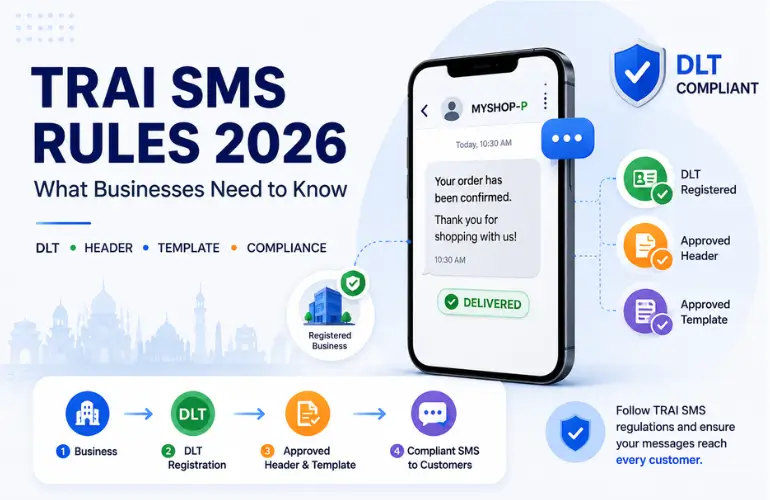
How to Register OTP SMS Templates on DLT in India
OTP messages pass through the operators’ DLT checks, so the live message must match what you registered. The usual sequence is:
- Register as a Principal Entity on an operator’s DLT platform with the required KYC documents.
- Register your sender header under that entity.
- Prepare the content template, keeping fixed text identical to what you will send and marking the OTP, brand name or validity as variables.
- Select the message category that genuinely fits the content.
- Submit the template for operator review and wait for approval.
- Map the approved entity ID, header and template ID in your SMS platform or API setup.
Our guide to the DLT registration process covers each step in more detail.
Classify each message according to its actual purpose. TRAI’s February 2025 amendment describes transactional messages as non-promotional responses to customer-initiated transactions within 30 minutes, explicitly including qualifying OTPs from banks and non-bank services such as e-commerce and app logins. An OTP label alone does not make promotional content transactional. Use the exact header format and category assigned by your operator; do not manually append suffixes without platform instructions.
Rules and portal processes change, so confirm current requirements against TRAI SMS regulations in India and your DLT platform before submitting. The samples above are not compliant or approved simply because they contain an OTP, and approval cannot be guaranteed. Operators can reject a template whose wording does not fit its chosen category.
OTP SMS Best Practices for Security and Delivery
Code Generation and Verification
If your application generates codes, use a cryptographically secure random generator rather than predictable patterns. Keep OTPs out of application logs and analytics tools. Make each code single-use and expire it on the schedule shown in the message.
For systems adopting NIST SP 800-63B out-of-band authentication guidance, verification must finish within 10 minutes and each code must be accepted only once. This is not a universal Indian telecom OTP expiry rule. Many applications choose shorter windows. Limit wrong attempts, add a resend cooldown and rate-limit requests per number and device.
Sender Setup and Delivery
Send through an approved header and a matching registered template, since mismatches are a common cause of failures. Monitor delivery reports so you can spot failing numbers or sudden drops. If codes go missing, our breakdown of why OTP SMS messages are not delivered lists common causes, from template mismatches to routing issues.
Know the Limits of SMS OTP
SMS OTP is convenient but not phishing-resistant. Attackers can trick users into reading out codes, and SIM-swap fraud can redirect messages. NIST treats SMS-based out-of-band authentication as a restricted method. For higher-risk actions, consider authenticator apps, passkeys or device-bound checks. Tell users never to share a code with anyone, including your own staff.
How to Send OTP Messages Using YourBulkSMS
YourBulkSMS publicly advertises OTP SMS, API integration for websites, apps and CRMs, DLT-related messaging support, and real-time delivery reports. These are published service descriptions, not independently tested performance guarantees. For businesses comparing SMS OTP services, a typical workflow looks like this:
- Contact YourBulkSMS to set up your business account.
- Complete the DLT requirements, with the team’s help if needed.
- Prepare your OTP template and get it approved.
- Configure the OTP SMS service or API using the integration details you receive.
- Confirm with YourBulkSMS whether your integration or an offered verification product generates, stores and validates codes. Do not assume that sending an SMS also verifies the OTP.
- Send test messages to a few numbers.
- Review delivery status and troubleshoot any failures.
Exact API parameters, dashboard features and pricing depend on your account, so confirm them with the team. You can read more on the OTP SMS service page.
Frequently Asked Questions About OTP Messages
Que.1 What is an OTP message sample?
Ans. An OTP message sample is ready-to-adapt SMS wording that shows how a one-time password should be presented to the user. It normally includes the brand name, a code placeholder, the purpose and an expiry time. Businesses customize it to their workflow and register it on their DLT platform before sending.
Que.2 How do I write an OTP SMS for login verification?
Ans. Start with the code, name your brand, state that it is for login, mention the expiry and add a short warning not to share it. For example: “{OTP} is your {BrandName} login code. Valid for {ValidityMinutes} minutes. Do not share it.” Keep it within one segment and avoid links.
Que.3 Is DLT registration required for OTP SMS in India?
Ans. Yes, in practice. Senders of OTP SMS through Indian telecom networks need Principal Entity, header and content-template registration. A live message that does not match its approved template may not be delivered. Confirm current requirements with your DLT platform and TRAI’s published guidance.
Que.4 Can I use the same OTP template for different purposes?
Ans. It is possible but not advisable. A generic template cannot tell users whether a code is for login, payment or password reset, which weakens clarity and security. Use separate templates for high-risk actions such as payments and account recovery, and share one only across genuinely similar events.
Que.5 How long should an OTP remain valid?
Ans. Keep it as short as users can reasonably manage. NIST guidance sets 10 minutes as the maximum for out-of-band codes, and many businesses choose shorter windows, especially for payments. The period in the message must match what your server enforces, and each code should work only once.
Que.6 Why are OTP SMS messages sometimes not delivered?
Ans. Common causes include a template or header mismatch, wrong route, API errors, operator filtering, inactive numbers and network congestion. Check your delivery reports first, then compare the live message with the approved template character by character.
Que.7 Can businesses send OTP messages using an SMS API?
Ans. Yes. An SMS API lets your application trigger OTP messages automatically at login, signup or payment. Your system generates and verifies the code, while the API sends it through your registered header and template. Ask your provider for current API documentation and test before going live.
Conclusion
Clear, purpose-specific OTP messages reduce failed logins, support calls and confusion about whether a code is genuine. The 35 samples above give you a starting point for login, registration, recovery, payment, retail, healthcare, education and app scenarios. Adapt them to your authentication workflow, register them properly and pair them with sound security controls.
If you are planning OTP verification or reviewing an existing setup, explore YourBulkSMS OTP SMS services or ask the team for help with DLT setup and integration.


.webp)