.webp)
When a message from HDFCBK or AMAZON lands on your phone, you do not see a random 10-digit number. You see a name one that tells you immediately who sent the message and whether you should open it. That name is a Sender ID, and for businesses sending bulk SMS in India, getting it right is not optional.
Since TRAI made DLT compliance mandatory, every SMS sender ID must be registered before a single commercial message can legally go out. Unregistered or incorrect sender IDs result in messages being blocked by telecom operators not delivered late, blocked entirely.
This article covers what a Sender ID is, how it works, the four types used in India, what the TRAI DLT rules require, why applications get rejected, and how to get yours approved without delays.
What Is a Sender ID in Bulk SMS?
Definition of a Sender ID
A Sender ID is the alphanumeric name or short code that appears in the "From" field of an SMS message the text a recipient sees instead of a phone number. In India, Sender IDs for commercial messaging are six characters long and composed of uppercase letters (no numbers, no special characters).
For example, when a bank sends an OTP, the Sender ID might read HDFCBK. When an e-commerce platform sends a shipping update, it might read AMZNIN or FKUPDT. The recipient does not know the platform behind the message they know the brand.
This is what the SMS sender ID does: it replaces the anonymity of a phone number with a recognisable business identity.
Why Sender ID Is Important for Business Messaging
The Sender ID is the first thing a recipient reads. Before they look at the message content, they decide in under a second whether to trust it based on who appears to have sent it.
For businesses, that split-second trust decision matters enormously:
- Brand recognition: A consistent, named Sender ID tells customers this message is from a business they know.
- Message credibility: Recipients are far less likely to ignore or report a message from a recognised brand name.
- Phishing protection: Verified Sender IDs reduce the risk of your brand being impersonated by fraudulent senders.
- Delivery compliance: Under India's DLT framework, messages from unregistered Sender IDs do not get delivered at all.
A transactional sms service provider that handles your messaging infrastructure will help you set this up but the Sender ID must match your registered entity, which means the registration process starts on your side.
How Does a Bulk SMS Sender ID Work?
SMS Delivery Process Explained
When your business sends a bulk SMS campaign, the message does not go directly from your platform to the recipient's phone. It travels through a chain:
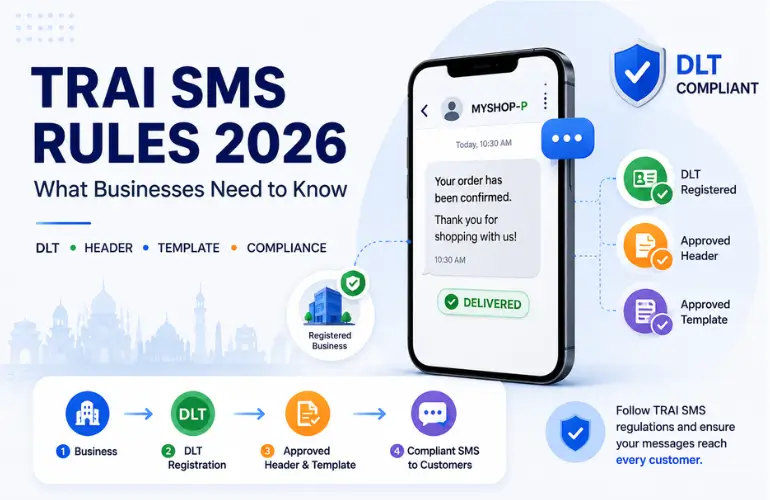
Your platform → SMS gateway → DLT platform → Telecom operator → Recipient's phone
At each step, the message is checked. The DLT platform verifies that the sms header (Sender ID) is registered, that the message content matches an approved template, and that the Principal Entity (your business) is authorised to use that header.
If any of these checks fail, the message is blocked not bounced, not delivered late. Blocked.
Role of Telecom Operators in Sender ID Validation
Telecom operators Airtel, Jio, Vi, BSNL are the final gatekeepers. They cross-reference the incoming message's Sender ID against the DLT registry. If the sender ID is registered, the message routes through. If it is not, or if the template does not match, the operator drops it.
This is why sender id registration cannot be treated as a formality. Each major operator maintains its own DLT portal, and registration on one does not automatically mean coverage on all. A thorough registration process covers all operators your target audience is likely to be on.
DLT Platform Verification and Message Matching
The DLT (Distributed Ledger Technology) platform functions as India's central registry for all commercial SMS activity. It stores:
- Your registered Principal Entity details.
- All approved Sender IDs (headers) linked to your entity.
- All approved message templates tied to each Sender ID.
When a message is sent, the DLT platform performs template matching comparing the actual message content against your approved template using a scrubbing algorithm. Variable fields (like names or amounts) are allowed within defined limits, but if the static text deviates from the approved template, the message fails. This makes template accuracy as important as Sender ID registration itself.
Types of Sender IDs in India
India's DLT framework categorises commercial SMS into distinct types, and each type uses a different Sender ID route with its own rules.
Promotional Sender ID
Promotional Sender IDs are used for marketing messages sale announcements, new product launches, event invitations, offer alerts. These messages can only be delivered during permitted hours (9 AM to 9 PM) and cannot be sent to subscribers registered on the National Do Not Disturb (NDND) registry.
Promotional Sender IDs are typically generic assigned by the telecom operator rather than fully customised to your brand. The exact header format may vary by operator.
Transactional Sender ID
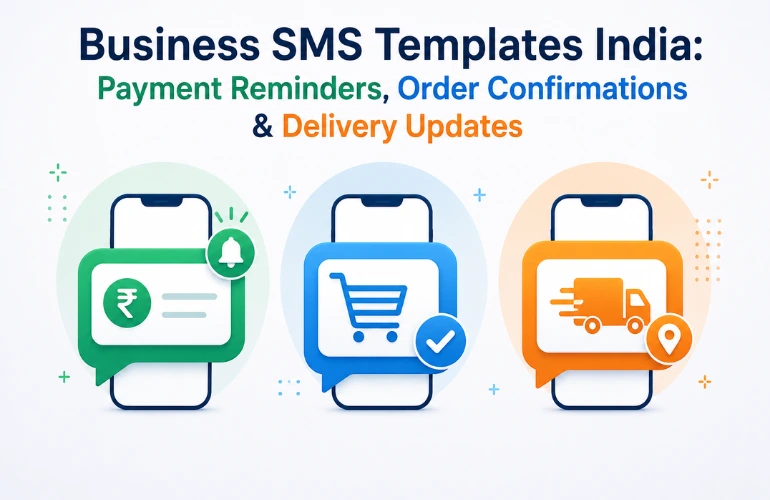
Transactional SMS covers messages that are triggered by a customer action or are directly relevant to a service the customer has signed up for order confirmations, bank alerts, appointment reminders, account statements. These messages are allowed on DND numbers and can be delivered 24 hours a day, 7 days a week.
A transactional sms service provider will register your transactional Sender ID against your service category and ensure it is approved for round-the-clock delivery. The Sender ID here is more strictly tied to your entity registration.
Service Implicit Sender ID
Service Implicit messages sit between promotional and transactional. They include messages related to ongoing service relationships EMI reminders, subscription renewals, utility alerts that are not triggered by a direct customer action but are relevant to the customer's existing relationship with the business.
These also have DND exemption for existing customers and require a registered Sender ID approved under the service implicit category.
OTP Sender ID
OTP messages are the most time-sensitive and most tightly regulated. They require a dedicated OTP route with a Sender ID specifically approved for authentication messages. These are delivered on the highest-priority channel, separate from all other message traffic.
How OTP Sender IDs Differ from Other Types
OTP Sender IDs are exclusively for one-time passwords, login verification, and transaction authentication. They cannot be used for any other message type mixing OTP content with informational content in the same template is a common reason for rejection. OTP routes also have the strictest template matching requirements, since any variation in message format can cause delivery failure at precisely the moment a customer needs the message most.
Sender ID Rules and TRAI DLT Guidelines
TRAI's Commercial Communication regulations, which came into full effect from 2019 onwards, made DLT registration mandatory for all businesses sending commercial SMS in India. The rules apply to every business from a single-branch retailer to a national bank.
Business Entity Registration on DLT
Before you can register a Sender ID, your business must register as a Principal Entity (PE) on the DLT portal. This registration requires:
- GST number or business PAN
- Business name as it appears on official documents
- Authorised signatory details
- Contact information
Principal Entity registration is the foundation. Without it, no Sender ID or template can be registered you simply cannot send compliant commercial SMS in India.
Header Registration and Ownership
Once your PE registration is approved, you register your sms header (Sender ID). The header must:
- Be exactly 6 uppercase alphabetic characters
- Represent your brand or business name (no competitor names, no generic terms like OFFERS)
- Not already be registered by another entity
- Not infringe on registered trademarks
Each header is owned by the Principal Entity that registered it. No two entities can hold the same header. If YOURBK is taken by another company, you will need to choose a variant.
Template Approval Requirements
Every message format you send must be pre-approved as a template on the DLT platform. The template defines the static text of your message and marks the variable fields (amounts, names, dates, OTPs) with placeholders. The actual message sent must match this template exactly within the allowed variables.
You can register as many templates as your messaging needs require different templates for OTPs, payment confirmations, promotional campaigns, and reminders. But none of them can be used until approved. Approval time varies by operator and template type.
Consent Requirements for Messaging
TRAI's DLT framework also requires businesses to maintain verifiable consent records for certain message categories. For promotional messaging, the recipient must not be on the DND registry (or must have explicitly opted in to receive such communications). For transactional messages, the existing service relationship constitutes implicit consent.
Failing to maintain consent records even while sending DLT-compliant messages exposes a business to regulatory risk if a complaint is raised.
How to Get Your SMS Sender ID Registration Done in India
The full sms sender id registration process involves four sequential steps. Each one must be completed before the next can begin.
Complete DLT Registration as a Principal Entity
Log into the relevant DLT portal. In India, the major operators run their own DLT platforms Airtel's DLT portal, Jio's Trubloq, Vi's DLT platform, BSNL, and MTNL each have their own. Submit your entity registration with the required business documents and wait for approval.
The entity registration is typically approved within 1 to 3 business days if all documents are in order.
Submit Your Header Request on the DLT Portal
Once your Principal Entity registration is active, proceed to register your Sender ID (header). Enter the 6-character alphanumeric identifier you want to use, select the message category it will be used for (promotional, transactional, OTP, service implicit), and submit.
The DLT platform checks for duplicates and conflicts at this stage. If your chosen header is already taken or conflicts with a trademark, the request is rejected and you must submit an alternative.
Verify Business Documents
Some operator DLT portals may require additional document verification for header registration particularly for transactional or OTP categories. This typically includes:
- Business registration certificate
- GST certificate
- Authorised signatory ID proof
Submitting complete and accurate documents at this stage avoids rejection-and-resubmission delays that can push your go-live date back by weeks.
Wait for Telecom Operator Approval
After submission, the telecom operator reviews and approves the header. This is not an instant process.
Typical Approval Timeline
Under normal circumstances:
- Principal Entity registration: 1–3 business days
- Header (Sender ID) approval: 3–7 business days per operator
- Template approval: 1–5 business days per template
If you are registering across multiple operators which is recommended for maximum delivery reach multiply the timeline accordingly. Rejections at any step restart the clock for that specific submission.
Working with a transactional sms service provider like YourBulkSMS that handles DLT coordination directly reduces these timelines significantly, because experienced teams know what documentation works, which format errors cause rejections, and how to follow up with operators when approvals stall.
Common Reasons Why a Sender ID Gets Rejected
Understanding why registrations fail is often more useful than knowing the process. These are the most frequent rejection causes.
Similar or Duplicate Header Already Exists
If a Sender ID identical or very close to your chosen one is already registered by another entity, your application will be declined. A business called "Yourmart" cannot register YRMRT if YRMRT is already owned by another company even if that company is in a different industry.
Trademark or Brand Name Conflicts
Headers that reference well-known trademarks even abbreviated forms are subject to rejection. Trying to register AMZNIN if you are not Amazon, or HDFC if you are not HDFC Bank, will not succeed and could invite legal attention beyond just the DLT rejection.
Incorrect or Incomplete Business Information
A mismatch between the name on your DLT registration and the name on your GST or company registration documents is one of the most common causes of rejection. The information must match exactly including the use of "Pvt Ltd" vs "Private Limited" in some cases.
Unsupported Header Format
Sender IDs in India must be exactly 6 uppercase alphabetic characters. Any submission that includes numbers, special characters, spaces, or is shorter or longer than 6 characters will be rejected at the format validation stage before a human even reviews it.
DLT Validation Errors
Technical errors during submission session timeouts, incomplete form submissions, or incorrect category selection can cause rejections that look like substantive rejections but are actually process failures. These are correctable, but they cost time.
Best Practices for Choosing a Sender ID
The header you choose will represent your business on every message you send. It is worth getting right before you submit, not after your first rejection.
Keep It Aligned with Your Brand Name
Your Sender ID should be immediately recognisable as coming from your business. If your company is called "Nexgen Fintech", a header like NXGFIN makes sense. One like ALERTS or OFFRZZ does not it gives recipients no brand signal and does not help build recognition over time.
Use Consistent Sender IDs Across All Campaigns
If your OTP messages come from MYBNK and your promotional messages come from MYBNKR, customers may not connect the two as the same business. Where DLT categories allow, aim for related headers that reinforce the same brand identity or explain the distinction clearly within the message content itself.
Follow DLT Naming Rules from Day One
Six uppercase alphabetic characters. No numbers, no special characters, no spaces. Do not design your internal systems or marketing materials around a Sender ID before verifying it is available and approvable. Conduct a availability check on the DLT portal first.
Plan Ahead for Multiple Campaign Types
If your business sends promotional, transactional, and OTP messages, you will need separate headers for each category (or at minimum, separate templates). Think through all the message types you expect to send over the next 12 months and register the headers you will need not just the one you need right now. Going back to register additional headers later adds time and coordination overhead.
Sender ID vs SMS Header What Is the Difference?
Understanding the Two Terms
In practice, Sender ID and SMS header refer to the same thing the alphanumeric name that appears in the "From" field of a commercial SMS. The two terms are used interchangeably by businesses, SMS platforms, and most documentation.
The difference, when one exists, is contextual.
Why the Industry Uses Them Interchangeably
"Sender ID" is the term most businesses use when thinking about how their messages appear to recipients. "SMS header" or simply "header" is the term used within the DLT platform's registration interface and TRAI's regulatory documentation.
When a salesperson or account manager at an SMS company talks about setting up your "Sender ID", they are talking about the same thing a TRAI compliance document refers to as your "header".
What Each Term Means on the DLT Platform
On the DLT portal, the registration field is labelled Header. It accepts your 6-character identifier. Once approved, this registered header becomes your active SMS Sender ID the name that appears on all messages sent through your registered Principal Entity under that category.
Understanding this equivalence avoids confusion during the registration process. If someone asks for your "header" and you hear "Sender ID", they want the same information.
Why Businesses Choose YourBulkSMS for DLT and Sender ID Registration
Getting through the DLT registration process cleanly entity registration, header approval, template registration requires knowing exactly what each portal expects, which documents are required in what format, and how to follow up when an approval stalls. Businesses that try to navigate it without support often encounter avoidable rejections and delays.
YourBulkSMS provides end-to-end support for the entire DLT and sender id registration process, alongside the full messaging infrastructure once you are approved.
Complete DLT Registration Support
YourBulkSMS assists businesses from Principal Entity registration through to final header approval. The team has processed DLT registrations across all major Indian telecom operator portals Airtel, Jio, Vi, BSNL and understands the documentation requirements and common failure points for each.
Sender ID Approval Assistance
Beyond guiding you through the process, YourBulkSMS actively coordinates with telecom operators on your behalf when approval timelines extend beyond normal ranges. You are not left waiting without visibility the team tracks your registration status and follows up where needed.
Template Registration Support
Approved Sender IDs only work with approved templates. YourBulkSMS helps businesses create DLT-compliant message templates that match their actual messaging needs OTPs, promotional offers, transactional alerts, service reminders and submits them through the correct category channels to minimise rejection risk.
Promotional, Transactional, and OTP SMS Solutions
Once your DLT registration is complete and your Sender IDs are approved, YourBulkSMS provides the complete messaging infrastructure:
- Promotional SMS on DLT-compliant routes with campaign scheduling and analytics
- Transactional SMS on dedicated 24x7 DND-exempt routes
- OTP SMS on high-priority, low-latency routes with delivery confirmation
All three run from a single platform, with unified reporting and one support team.
Dedicated Technical Support Team
Onboarding does not end at account creation. YourBulkSMS provides dedicated technical support for API integration, delivery troubleshooting, template updates, and any DLT-related changes that affect your messaging setup. For businesses that rely on SMS for critical communications OTPs, payment alerts, appointment confirmations having responsive support is not optional.
Serving Businesses Across India Since Day One
YourBulkSMS serves businesses across banking, e-commerce, healthcare, education, logistics, and retail from startups registering their first DLT entity to enterprises managing high-volume multi-category messaging. The experience across industries means the team has seen most of the edge cases that trip businesses up during registration, and knows how to resolve them quickly.
Frequently Asked Questions About SMS Sender ID
Q. What is a Sender ID?
Ans. A Sender ID is the alphanumeric name that appears in the "From" field of a commercial SMS message replacing the sender's phone number with a recognisable business name. In India, Sender IDs for bulk SMS are 6-character uppercase alphabetic identifiers registered on the TRAI DLT platform.
Q. Is Sender ID mandatory in India?
Ans. Yes. Under TRAI's DLT regulations, all commercial SMS senders in India must register a Sender ID (header) on the DLT platform before sending any bulk SMS. Messages sent with an unregistered Sender ID are blocked by telecom operators and never reach the recipient.
Q. How long does Sender ID approval take?
Ans. Principal Entity registration typically takes 1–3 business days. Header (Sender ID) approval takes an additional 3–7 business days per telecom operator, assuming all documents are accurate and there are no conflicts. Template approvals take a further 1–5 business days per template. Working with a provider like YourBulkSMS that handles operator coordination can reduce these timelines.
Q. Can I change my Sender ID later?
Ans. You can register additional Sender IDs for your entity, but you cannot alter an already-approved Sender ID the 6-character identifier is fixed once registered. If you want to change your brand identity in messaging, you must register a new header and update all associated templates. Existing campaigns running on the old header continue to work until you choose to retire it.
Q. Why was my Sender ID rejected?
Ans. The most common reasons are: a duplicate header already exists on the DLT platform, the header conflicts with a registered trademark, business documents submitted do not match the entity registration information, the header does not meet the 6-character alphabetic format requirement, or a technical error occurred during submission. Each rejection notice specifies the reason address that specific issue before resubmitting.
Q. Is Sender ID the same as a DLT Header?
Ans. Yes. "Sender ID" and "header" refer to the same identifier. "Sender ID" is the business-facing term for what recipients see in the "From" field. "Header" is the term used in the DLT platform's registration interface and TRAI's regulatory framework. They are the same 6-character identifier.
Conclusion
A Sender ID is not just a technical configuration it is the first signal your message sends before the recipient reads a single word. In India's DLT-regulated environment, it is also a compliance requirement with real delivery consequences if ignored.
Getting it right means completing Principal Entity registration accurately, choosing a header that is brand-relevant and available, registering it across all relevant telecom operators, and pairing it with properly approved message templates. Each step affects the one after it.
Businesses that treat sms sender id registration as a one-time setup done correctly from the start operate with cleaner delivery, stronger brand recognition, and zero compliance risk. Those that skip steps or rely on non-compliant workarounds eventually face blocked messages, campaign failures, and the time cost of fixing registration errors under pressure.
Need Help Getting Your Sender ID Approved?
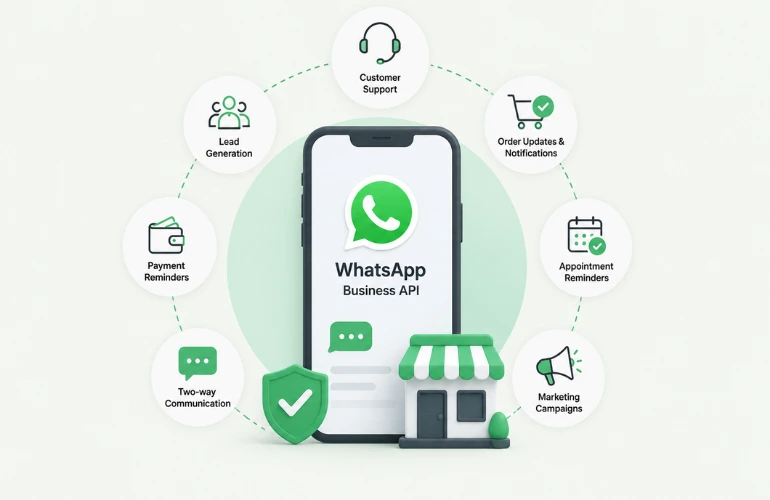
YourBulkSMS helps businesses with DLT registration, Sender ID (Header) approval, template registration, Promotional SMS, Transactional SMS, OTP SMS, and WhatsApp Business API all from one platform, with one team.
Whether you are starting your DLT registration from scratch or troubleshooting a rejected header, our experts handle the process end-to-end so your messaging goes live without unnecessary delays.
- Website: yourbulksms.com
- WhatsApp: +919522211125 / +917314247741
- Email: [email protected]


.webp)