
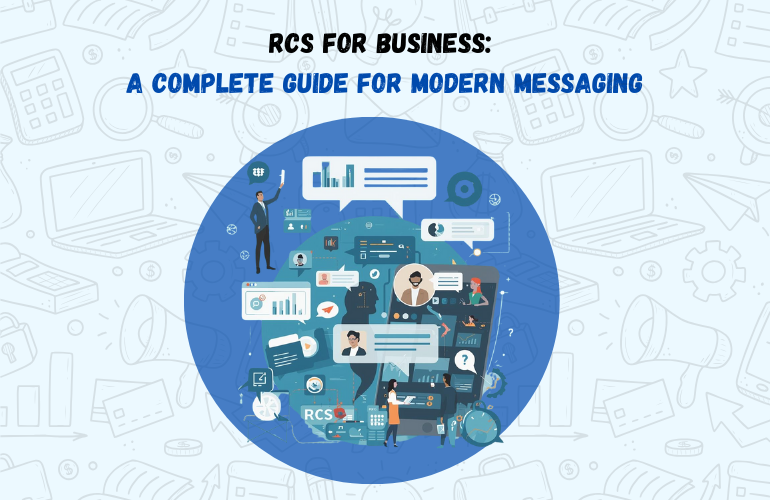
Customer communication has moved far beyond plain text messages. Businesses today need messaging that is interactive, branded, and engaging, without depending on third-party apps. RCS messaging answers that need by upgrading traditional SMS into a richer, more interactive communication channel.
rcs for business helps brands deliver visually engaging messages, actionable buttons, and real-time interactions directly inside the native messaging app on supported devices. With YourBulkSMS, businesses can use Rich Communication Services to connect with customers in a modern, trusted, and scalable way.
What Is RCS? Full Form and Meaning Explained
The full form of RCS is Rich Communication Services.
The RCS message meaning is simple: it is an advanced form of SMS that supports rich media, interactive buttons, and branded messaging.
Unlike traditional SMS, RCS messages allow businesses to send images, videos, carousels, and clickable actions while keeping communication inside the default messaging app. RCS bridges the gap between SMS and app-based messaging platforms.
How RCS Messaging Works
RCS messaging works through a secure ecosystem supported by Google, mobile operators, and verified RCS service providers.
When a business sends an RCS message:
- The message is routed through an RCS platform
- It is delivered to the user’s RCS-enabled messaging app
- The user can interact with the message using buttons, replies, or links
- If a device does not support RCS, messages automatically fall back to SMS, ensuring reliable delivery.
The RCS Messaging Ecosystem
RCS services operate within a structured ecosystem designed for trust and scale.
- Google Messages enables RCS chat support on Android devices
- Mobile network operators ensure message delivery
- RCS platforms like YourBulkSMS manage sender verification and campaigns
- Businesses send branded, approved messages
- End users receive interactive messages without installing any app
This ecosystem makes messaging RCS secure, consistent, and business-ready.
Requirements to Use RCS for Business
To receive RCS messages, users need:
- An RCS-enabled Android device
- Google Messages as the default messaging app
- Active mobile data or Wi-Fi
For businesses, RCS services require:
- Verified business identity
- Approved message templates
- RCS-enabled messaging platform
YourBulkSMS manages verification and onboarding to ensure smooth activation.
On Which Devices Does RCS Work?
RCS works primarily on:
- Android smartphones with Google Messages
- Devices supported by participating mobile operators
RCS chat does not currently support all iOS devices. In such cases, fallback SMS ensures message delivery so businesses never lose reach.
RCS Message Content Length Compared to SMS and WhatsApp
| Channel | Text Length | Rich Media |
|---|---|---|
| SMS | 160 characters | No |
| Transactional SMS | 160 characters | No |
| WhatsApp Business API | ~4,000 characters | Yes |
| RCS Messaging | 10,000+ characters | Yes |
RCS messaging allows detailed content, visuals, and actions in a single message, making it ideal for engagement-driven communication.
Media Types Supported in RCS Messaging
Media Types Supported in RCS Messaging (Sizes & Dimensions)
RCS messaging supports rich media formats that help businesses create visually engaging and interactive messages. Using the right size and dimensions ensures faster loading, better display, and higher engagement.
Images in RCS Messaging
- Images are widely used for product highlights, offers, and announcements.
- Recommended specifications:
- Format: JPG or PNG
- Maximum file size: up to 2 MB
- Recommended resolution: 1440 × 1080 px
- Aspect ratio: 4:3 or 1:1
- Best used for: Product images, Promotional banners, Visual announcements
Videos in RCS Messaging
- Videos allow businesses to explain products, demonstrate features, or promote campaigns.
- Recommended specifications:
- Format: MP4
- Maximum file size: up to 10 MB
- Recommended resolution: 1280 × 720 px (HD)
- Aspect ratio: 16:9
- Best used for: Product demos, Brand promotions, Short explainer videos
Rich Cards (Single Card)
- Rich cards combine images, text, and buttons into a single interactive message.
- Recommended specifications:
- Image size: up to 2 MB
- Recommended resolution: 1440 × 1080 px
- Text limit: up to 1,000 characters
- Buttons: up to 2–3 CTAs
- Best used for: Special offers, Event promotions, Product announcements
Carousel Cards
- Carousel cards allow multiple rich cards in one message, enabling users to swipe through options.
- Recommended specifications (per card):
- Number of cards: up to 10
- Image size: up to 2 MB per card
- Recommended resolution: 1440 × 1080 px
- CTA buttons: up to 2 per card
- Best used for: Multiple products, Catalog previews, Feature comparisons
Buttons, Links, and CTAs in RCS Chat
RCS chat allows businesses to guide users with clear, clickable actions instead of plain text. Messages can include multiple CTA buttons that let customers act instantly without leaving the conversation.
- Common CTA options include: Website links, Call buttons, Location buttons, Quick reply buttons like “Buy Now,” “Track Order,” or “Know More”
- Button specifications:
- Text length: up to 25 characters
- Button types: Open website, Call phone number, Suggested reply
- Best used for: “Buy Now,” “Track Order,” “Contact Support”
Text Content in RCS Messages
- RCS supports much longer text than SMS, making it suitable for detailed communication.
- Text specifications:
- Maximum length: up to 10,000 characters
- Recommended length: 300–1,000 characters for readability
- Best used for: Detailed offers, Service explanations, Instructional messages
Key Features of RCS for Business
- Verified sender name and brand logo
- High-resolution images and videos
- Carousel cards for multiple products or offers
- Interactive buttons and suggested replies
- Read receipts and engagement insights
- Automatic fallback to SMS when RCS is unavailable
These features make RCS ideal for customer engagement and promotional messaging.
RCS vs Transactional SMS vs WhatsApp Business API
RCS vs Transactional SMS
Transactional SMS is best for critical alerts like OTPs and payment confirmations. RCS adds visual content, branding, and interaction, making it better suited for engagement and promotions.
RCS vs WhatsApp Business API
RCS works seamlessly within the default messaging app, eliminating the need for an app installation. WhatsApp offers rich features but depends on user opt-in and app availability.
RCS vs Promotional SMS
Promotional SMS is text-only, while RCS supports images, videos, and CTAs, leading to higher click-through and engagement rates.
Industries Where RCS Messaging Works Best
- Ecommerce & D2C: product launches, cart reminders, offers
- Retail & FMCG: promotions, new arrivals, loyalty updates
- Banking & Finance: product awareness and service updates
- Travel & Hospitality: offers, upgrades, booking reminders
- Education: admissions, course promotions, event invites
RCS helps these industries communicate clearly and interactively.
RCS Message Templates for Promotions
- Single rich card: image, text, and CTA button
- Carousel cards: multiple products with individual CTAs
- Image + CTA: ideal for limited-time offers
- Video messages: product demos or brand campaigns
- Text with suggested replies: quick user interaction
These templates help brands present offers in a visually engaging way.
How Businesses Can Start RCS Messaging
- Brand verification and sender approval
- Message template review and approval
- Campaign setup through an RCS-enabled platform
- Testing and launch with fallback SMS enabled
YourBulkSMS manages onboarding, approvals, and delivery to simplify the process.
RCS Guidelines and Regulations in India
- Explicit user consent for promotional messages
- Verified business sender profiles
- Approved message templates
- Clear opt-out mechanisms
- Adherence to data privacy practices
Following these rules ensures high deliverability and long-term trust.
Common RCS Challenges and Solutions
- Limited device compatibility
- Template approval delays
- Low engagement due to poor creatives
Using fallback SMS, approved templates, and optimized message design helps overcome these issues effectively.
Why Choose YourBulkSMS for RCS Services
- Verified RCS sender setup
- Campaign and template support
- Reliable SMS fallback
- Analytics and performance tracking
- Omnichannel messaging with SMS and WhatsApp
This ensures smooth delivery, compliance, and measurable results.
Start RCS Messaging with YourBulkSMS
RCS messaging helps businesses deliver interactive, branded communication without app dependency.
Connect with YourBulkSMS to launch secure, scalable, and engaging RCS campaigns that drive results.
FAQs on RCS Messaging
- Q. What is RCS messaging?
Ans. RCS messaging is an advanced form of SMS that supports rich media, interactive buttons, and branded messages inside the default messaging app on supported devices. - Q. Is RCS available in India?
Ans. Yes, RCS is available in India on supported Android devices using Google Messages, with availability depending on the mobile operator and device compatibility. - Q. Does RCS require an app installation?
Ans. No, RCS works inside the phone’s default messaging app, so users do not need to download or install any additional application. - Q. Can RCS be used for promotions?
Ans. Yes, RCS is well-suited for promotions, allowing businesses to send images, videos, carousels, and CTA buttons for higher engagement. - Q. What happens if a device does not support RCS?
Ans. If RCS is not supported, messages automatically fall back to standard SMS, ensuring the message is still delivered to the user.


.webp)
.webp)